Author name: first rankology

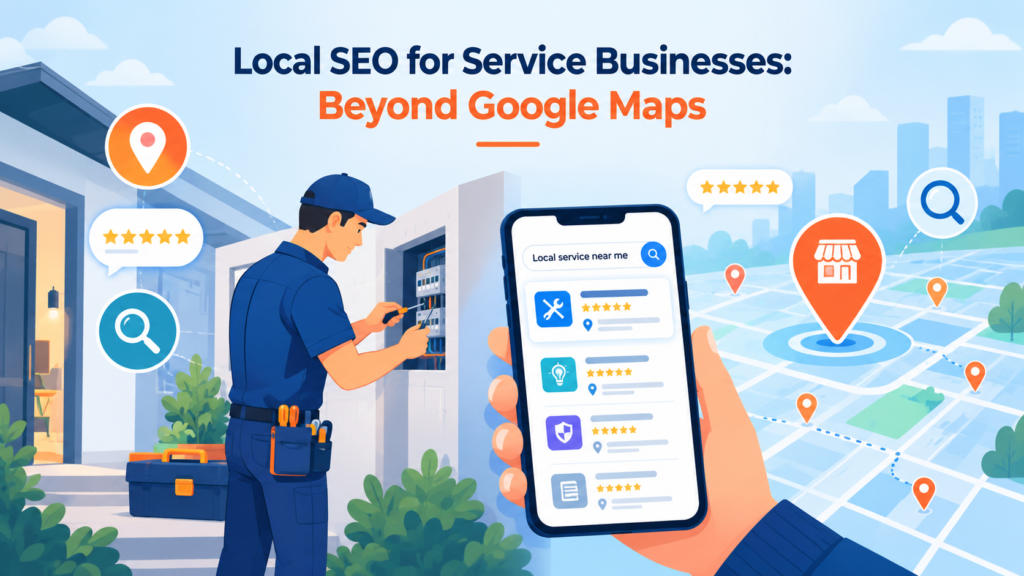
Local SEO illustration showing a service technician, smartphone local search results, map pins, star reviews, and search icons for service businesses.
SEO

Local SEO for Service Businesses: Beyond Google Maps

If you run a service business a plumber, a clinic, a salon, a law firm, a home renovation company chances are your local SEO strategy begins and ends with your Google Business Profile. And that makes sense. It’s the first thing customers see when they search “near me.” But here’s the problem: everyone else in your category is optimizing for the same map pack too. The businesses that consistently win local customers aren’t just showing up on Google Maps. They’re building visibility everywhere their customers actually look search results, review platforms, social feeds, even voice assistants. This blog breaks down what local SEO looks like once you move past the map pin. Why Google Maps Alone Isn’t Enough Anymore The map pack only shows three listings. If you’re not in the top three for your service and area, most of your competitors are getting the call instead of you. And ranking in the map pack depends on factors far outside your Google Business Profile your website’s authority, your citations, your reviews across platforms, and how consistently your business information appears across the web. Service businesses that rely only on their Google listing are essentially competing for three parking spots while ignoring the rest of the street. Building a Local SEO Strategy That Goes Deeper 1. Location-Specific Landing Pages If you serve multiple neighborhoods, cities, or service areas, a single “Contact Us” page won’t cut it. Dedicated landing pages for each service area with unique content, local landmarks, and area-specific customer stories — help you rank for searches like “electrician in [area]” instead of competing only on your homepage. 2. Citation Consistency Across the Web Your business name, address, and phone number (NAP) need to match exactly across directories like Justdial, Sulekha, Yelp, industry-specific listing sites, and even your social profiles. Inconsistent citations confuse search engines and quietly erode your local rankings, even if your Google profile looks perfect. 3. Review Strategy Beyond Google Reviews on Google matter, but so do reviews on Facebook, industry-specific platforms, and even service marketplaces. A steady, natural flow of reviews across multiple platforms signals trust to both search engines and potential customers who are comparing you against competitors. 4. Local Content That Answers Real Questions Service businesses often skip content marketing because they think it’s only for ecommerce or SaaS. In reality, blog posts answering questions like “How much does AC repair cost in [city]?” or “What to expect during your first physiotherapy session” build topical authority and capture searches happening before someone is ready to call. 5. Local Link Building Getting mentioned and linked to by local news sites, community blogs, business associations, and local sponsorships builds the kind of domain authority that map-pack rankings depend on. These links tell Google your business is a genuine, active part of the local community not just a listing. 6. Structured Data and Schema Markup LocalBusiness schema, service schema, and FAQ schema help search engines understand exactly what you offer, where, and to whom. This also improves your chances of showing up in rich results, voice search answers, and increasingly, AI-generated search summaries. 7. Mobile Experience and Speed Most local searches happen on a phone, often from someone standing outside their house with a leaking pipe or a toothache. A slow-loading, hard-to-navigate site loses that customer to the next result, no matter how well you rank. The Bigger Picture: Local SEO Is a System, Not a Listing Winning local search today means treating your Google Business Profile as one piece of a larger system one that includes your website, citations, reviews, content, and backlinks working together. Businesses that build this system consistently outrank competitors who only optimize their map listing and stop there. Book a free consultation with our SEO experts and find out exactly where your local visibility is falling short and how to fix it.  
7 Reasons Your Website May Be Invisible in AI Search featured image for digital marketing agency blog on AI search visibility
SEO

7 Reasons Your Website May Be Invisible in AI Search

Search has quietly changed, and it’s a shift every digital marketing agency is watching closely. People are no longer just typing keywords into Google and scrolling through ten blue links. They’re asking ChatGPT, Perplexity, Google’s AI Overviews, and Gemini direct questions and getting direct answers, often without ever clicking through to a website. If your business isn’t showing up in those answers, you’re not just missing a ranking. You’re missing the conversation entirely. Here are seven reasons your website might be invisible in AI search and what that means for the future of your traffic. 1. Your Content Isn’t Structured for Extraction Traditional SEO rewarded long, keyword-stuffed pages built to rank in a list of ten links. AI models work differently. They scan content looking for clear, extractable answers a direct definition, a concise explanation, a well-organized list. If your key information is buried in dense paragraphs, wrapped in marketing fluff, or scattered across multiple pages, AI systems have a harder time pulling it out cleanly. Content that answers a specific question in the first few lines, then expands with supporting detail, is far more likely to get quoted. 2. You’re Missing Structured Data (Schema Markup) AI crawlers and language models lean heavily on structured data to understand what a page is actually about. Schema markup things like FAQ schema, Article schema, Organization schema, and Product schema gives machines a labeled, unambiguous version of your content. Without it, an AI system has to guess at context from raw HTML. Websites that mark up their content clearly are simply easier to trust and easier to cite. 3. Your Brand Has Little to No Presence Beyond Your Website AI models don’t just crawl your site they draw on a much wider pool of information: review platforms, forums like Reddit and Quora, industry publications, news mentions, and social profiles. This is often referred to as your brand’s entity presence. If the only place your business exists online is your own website, AI systems have little external validation that you’re a credible, authoritative source. A strong footprint across third-party platforms signals relevance and trustworthiness in a way a single domain never can. 4. Your Content Doesn’t Directly Answer Real Questions AI search tools are fundamentally question-answering engines. If your content is written around keywords rather than around the actual questions your customers are asking, it’s harder for AI to match your page to a query. This is where formats like FAQs, how-to guides, and comparison content perform well they mirror the conversational, question-based way people now search. Auditing your top pages against real customer questions (and rewriting them to answer those questions directly) can make a significant difference. 5. Your Technical SEO Foundation Has Gaps AI crawlers still need to reach and read your site efficiently, just like traditional search bots. Slow page speeds, broken internal links, poor mobile responsiveness, missing alt text, and blocked crawl paths all limit how much of your content ever gets indexed in the first place by traditional search engines or AI models. If the technical foundation is weak, none of your content strategy matters, because the AI never fully “sees” your site to begin with. 6. You Have Little to No Authoritative Backlink Profile Backlinks still matter arguably more than ever because they act as trust signals for both traditional search engines and AI systems. When high-authority, relevant websites link to your content, it tells AI models that your information has been vetted and valued elsewhere. A thin or low-quality backlink profile makes it harder for your site to be treated as a reliable source worth referencing in an AI-generated answer. 7. Your Content Is Outdated or Inconsistent AI models tend to favor fresh, consistently updated content, especially for topics where accuracy changes over time pricing, statistics, product details, industry trends. If your site hasn’t been updated in months (or years), and your information conflicts with more current sources elsewhere, AI systems are more likely to skip you in favor of a source that’s been recently verified and refreshed. Regularly auditing and updating existing content  not just publishing new pages is one of the most overlooked levers for AI search visibility. Want to know where your website stands in AI search right now? FirstRankology offers a comprehensive website audit that looks beyond traditional SEO covering technical health, content structure, and AI search readiness so you know exactly what’s holding your visibility back and how to fix it.  

SEO content decay illustration showing declining website traffic, outdated content, and SEO analytics with a recovery trend
SEO

SEO Content Decay: How to Find and Update Old Content That Is Losing Traffic

You publish a blog post. It ranks on page one. Traffic climbs for a few months. Then, quietly, it starts to slide. No warning, no penalty notice, no algorithm update headline the page just fades. This is content decay, and it is one of the most overlooked reasons websites lose organic traffic over time. Most businesses treat SEO as a one-time project: write the content, publish it, move on to the next keyword. But search results are not static. Competitors publish fresher pages, user intent shifts, product details change, and Google’s algorithm keeps rewarding pages that stay current. If you are not actively auditing and updating your existing content, you are almost certainly losing rankings you already earned often without realizing it. In this guide, we’ll break down what content decay actually is, how to spot it before it costs you serious traffic, and the exact steps to refresh old pages so they start climbing again. What Is SEO Content Decay? Content decay is the gradual decline in organic traffic, rankings, or engagement that a previously well-performing page experiences over time. It’s rarely sudden. A page might hold steady for a year, then lose 10% of its traffic one quarter, another 15% the next, and by the time someone notices, it has fallen off page one entirely. This isn’t a sign that your content was bad it’s a sign that the content ecosystem around it has moved on. Search engines are constantly re-evaluating which pages best serve a query right now, not which pages served it best two years ago. Why Does Content Decay Happen? Several forces work against your older pages, often at the same time: Outdated information : Statistics, prices, tools, screenshots, and examples get stale. A page referencing “2023 trends” or an old product version signals to both users and search engines that the content hasn’t been maintained. Increased competition : Other sites are publishing newer, more comprehensive content targeting the same keywords. If a competitor’s page is more thorough or better structured, it can outrank yours even if your original content was solid. Shifting search intent : The reason people search a term can change. A keyword that once triggered informational results might now surface product comparisons or local results instead, leaving your old format mismatched with what searchers actually want. Algorithm updates : Google periodically rewards pages with stronger E-E-A-T (Experience, Expertise, Authoritativeness, Trustworthiness) signals, better technical health, or clearer structure leaving thinner or neglected pages behind. Loss of backlinks : Sites get redesigned, pages get deleted, and links pointing to your content disappear over time, weakening the authority signals that helped it rank in the first place. Technical drift : Broken internal links, slower load times, or unfixed mobile issues can quietly erode a page’s performance even if the content itself hasn’t changed. How to Find Content That Is Losing Traffic You can’t fix decay you haven’t identified. Here’s how to systematically find it. Audit Organic Traffic Trends in Google Analytics : Pull a traffic report for your top pages over the last 12–24 months. Look for pages with a clear downward trend rather than seasonal dips. Sort by traffic loss percentage, not just raw numbers a page that dropped from 5,000 to 2,000 monthly visits deserves attention even if it’s not your highest-traffic page overall. Check Ranking Movement in Google Search Console : Compare your average position for target keywords over two comparable time periods (e.g., this quarter vs. the same quarter last year). Pages that have slipped from positions 1–5 to positions 8–15 are prime candidates for a refresh they’re still relevant enough to rank, just not competitive enough to lead. Use Rank Tracking Tools for a Broader View : Tools like Semrush, Ahrefs, or similar platforms can flag keyword ranking drops across your entire site at once, which is far faster than manually reviewing pages one by one. Look specifically at keywords that have dropped out of the top 10 in the last six months. Segment by Content Age : Filter your content inventory by publish date. Pages older than 12–18 months that haven’t been updated since are statistically more likely to be decaying, even if their traffic graph looks stable for now. Review Engagement Metrics : A rising bounce rate or falling average time on page, even without a major traffic drop yet, can be an early warning sign that content decay is starting before it shows up in rankings. How to Update Decaying Content Effectively Once you’ve identified the pages losing ground, here’s how to bring them back. Refresh Facts, Data, and Examples : Replace outdated statistics with current data, update screenshots, swap old product references for current ones, and remove any dated language (“this year” referring to a past year, old pricing, discontinued tools). Cite recent, credible sources wherever possible. Expand Thin Sections : Compare your page against what’s currently ranking in the top 3–5 positions for your target keyword. If competitors are covering subtopics you’re missing FAQs, comparisons, step-by-step processes add genuine depth rather than padding word count. Re-align with Current Search Intent : Search the target keyword yourself and look at what format Google is now favoring: listicles, comparison tables, video content, local results. If intent has shifted, restructure the page to match rather than forcing your old format to compete. Improve On-Page SEO Elements : Revisit your title tag, meta description, headers, and internal linking. Small on-page improvements a sharper title, better header hierarchy, more internal links from newer high-authority pages can meaningfully lift a decaying page’s performance. Fix Technical Issues : Check page speed, mobile usability, and broken links. A technically weak page will struggle to recover no matter how good the content refresh is. Update the Publish Date Strategically : Once you’ve made substantive changes not cosmetic ones updating the “last modified” date signals freshness to both users and search engines. Avoid doing this without real content improvements, as thin refreshes rarely move the needle. Consolidate or Redirect When Necessary : Sometimes the right move isn’t refreshing a

FirstRankology feature image showing the title "How FirstRankology Can Help With AI Search Visibility" centered on a dark tech-themed background with AI and search icons
SEO

How FirstRankology Can Help With AI Search Visibility

Search is changing faster than most businesses can keep up with. People are no longer just typing queries into Google and scanning ten blue links they’re asking questions directly to AI tools like ChatGPT, Perplexity, and Google’s AI Overviews, and expecting a single, well-formed answer. If your brand isn’t showing up in those answers, you’re becoming invisible to a growing share of your audience, no matter how well you rank in traditional search results. This is where FirstRankology comes in. As the search landscape shifts toward AI-driven discovery, FirstRankology positions itself as a partner that helps businesses adapt their online presence so they’re not just found they’re recommended. Why AI Search Visibility Matters Now Traditional SEO services have long focused on ranking pages for keywords. That work still matters, but AI-powered search engines behave differently. Instead of returning a list of links, they synthesize information from multiple sources and present a single answer, often without a click-through to the original website. That means: Being the “best” result isn’t enough if an AI engine doesn’t cite or reference your content. Content needs to be structured so AI models can easily extract, understand, and trust it. Brand authority and consistency across the web now influence whether AI tools mention you at all. Businesses that ignore this shift risk losing visibility even while their traditional rankings stay strong. How FirstRankology Approaches AI Search Optimization FirstRankology combines the fundamentals of strong SEO services with newer strategies built specifically for AI-driven discovery. A few of the core areas they focus on include: Structured, Answer-Ready Content : AI models favor content that’s clear, well-organized, and directly answers user questions. FirstRankology helps businesses restructure existing content and create new content that’s formatted for easy extraction using clear headings, concise summaries, and logically organized information that AI systems can parse and quote confidently. Technical Foundations : Good AI visibility still depends on solid technical SEO: fast load times, clean site architecture, proper schema markup, and crawlability. FirstRankology audits these fundamentals to make sure AI crawlers and traditional search bots alike can access and understand a site’s content without friction. E-E-A-T and Brand Authority : AI tools tend to favor sources that demonstrate real experience, expertise, authoritativeness, and trustworthiness. FirstRankology works on building this authority through credible backlinks, consistent brand mentions across the web, and content that reflects genuine subject-matter expertise rather than generic filler. Monitoring AI Mentions and Citations : Unlike traditional rank tracking, AI visibility requires monitoring whether and how a brand is mentioned inside AI-generated answers. FirstRankology tracks these citations over time, helping businesses understand where they’re being referenced and where competitors are winning that space instead. Integrated SEO Strategy : Rather than treating AI visibility as a separate initiative, FirstRankology folds it into a broader SEO strategy. Their SEO services cover keyword research, content optimization, technical audits, and link building all adapted to serve both traditional search engines and the AI models increasingly sitting between businesses and their customers.  

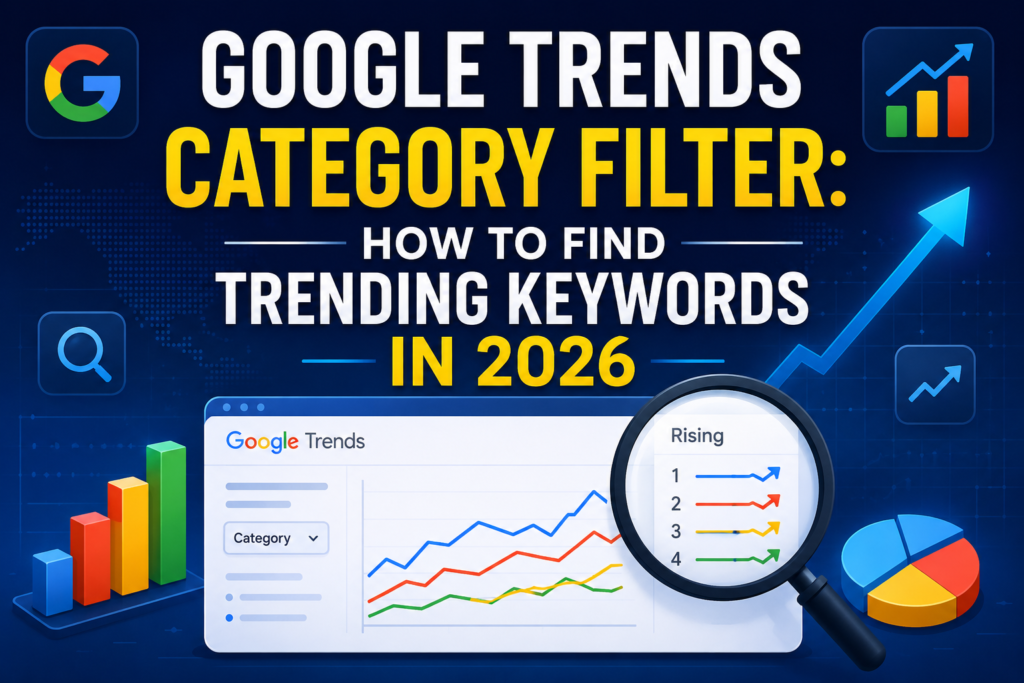
Google Trends category filter dashboard showing how to find trending keywords in 2026
SEO

Google Trends Category Filter: How to Find Trending Keywords in 2026

Keyword research is no longer just about finding keywords with high search volume. In 2026, businesses need to understand what people are searching for right now, why search interest is increasing, and whether a trend is relevant to their target audience. What Is the Google Trends Category Filter? The Google Trends category filter allows you to refine search-interest data according to a specific category. This is particularly useful when a keyword has multiple meanings. For marketers, categories can help reduce irrelevant data and make keyword research more focused. Instead of asking: “Is this keyword trending?” You can ask: “Is this keyword trending among people interested in my specific industry?” That distinction can make your content strategy much more effective. Why Trending Keywords Matter for SEO in 2026 Traditional keyword research often focuses on metrics such as: Search volume Keyword difficulty Competition Cost per click Search intent These metrics remain useful, but they don’t always show momentum. A keyword with moderate search volume but rapidly increasing interest may become much more valuable than a keyword with consistently high but stagnant demand. Google Trends provides relative search-interest data rather than absolute search-volume figures. Its Explore features can also show related and rising searches, helping marketers discover topics gaining attention. For example: Keyword A: 100,000 searches every month for years Keyword B: 10,000 searches today but growing rapidly Keyword B could represent an emerging opportunity. The goal is to identify that opportunity early. How to Use Google Trends Category Filter for Keyword Research Start with a Broad Topic : Begin with a topic related to your business. For a digital marketing agency such as FirstRankology, you could start with: SEO AI search Google AI digital marketing local SEO social media marketing content marketing ecommerce SEO Don’t worry about finding the perfect keyword immediately. Your first goal is to discover what is gaining search interest. Select the Appropriate Category : After entering your search term in Google Trends, use the category option to narrow the results. Google explains that categories are particularly useful when a search term can have multiple meanings. The process is straightforward: Open Google Trends. Enter your search term. Select All categories. Choose the category relevant to your topic. For example, if you’re researching an AI-related term, narrowing the topic to the appropriate technology-related context can make the results more useful. This helps prevent you from building an SEO strategy around irrelevant searches. Choose Your Target Location : Location is extremely important for SEO. If you’re targeting customers in India, select India instead of looking at worldwide search interest. Google Trends lets you explore search interest by country and region. Regional data can help identify where particular topics are more popular. For a local SEO campaign, you can go even deeper by examining state, city, or metro-level interest where available. For example: Business: Digital marketing agency Target market: India Potential research: SEO agency India SEO services India local SEO India AI SEO India digital marketing services You can then investigate which topics show increasing interest. Analyze the Trend Over Time : Don’t look at a single spike and immediately create an article. Instead, examine the trend over multiple time periods. Try: Past 7 days Past 30 days Past 90 days Past 12 months Past 5 years A sudden spike may be caused by a temporary news event. A gradual increase over several months is often more useful for an evergreen content strategy. Look for three types of trends: Rising trend: Search interest is increasing. Stable trend: Search interest remains relatively consistent. Declining trend: Search interest is decreasing. For SEO, rising and stable trends can provide the strongest opportunities. Check “Rising” Related Searches : One of the most useful Google Trends features for content research is Rising searches. Google describes rising searches as terms experiencing significant growth during the selected period. A search marked “Breakout“ has grown by more than 5,000%. These searches can become excellent sources of: Blog topics FAQ questions Social media content YouTube topics Reels Landing-page ideas Content clusters For example, if you research AI SEO and discover a rising related search around a new AI search feature, you can create content around that topic before the competition becomes saturated. Compare Multiple Keywords : Don’t research keywords individually. Use Google Trends to compare multiple topics. Google Trends supports comparison between search terms, allowing marketers to understand which topic has stronger relative search interest. For example, you could compare: SEO vs AEO vs GEO or: Google AI Mode vs ChatGPT vs Gemini This can reveal which topics deserve more attention in your content calendar. However, remember that Google Trends measures relative search interest, not exact monthly search volume. Use another keyword research tool afterward if you need estimated search volumes and competition metrics. Turn Trending Searches Into Long-Tail Keywords : A trending topic is only the starting point. The next step is to turn it into a keyword strategy. Suppose Google Trends shows increasing interest in: Google AI Mode You could develop related long-tail keywords such as: Google AI Mode SEO how Google AI Mode works how to rank in Google AI Mode Google AI Mode vs traditional search Google AI Mode optimization Google AI search optimization Now one trend can become an entire content cluster. This is much more valuable than publishing one short article about a trending topic. Match the Keyword With Search Intent : Before writing content, identify the search intent. A trending keyword can have different types of intent. Informational Intent The user wants to learn something. Examples: What is Google AI Mode? How does Google Trends work? What is GEO? Commercial Intent The user is researching a service or solution. Examples: best SEO agency AI SEO services GEO services local SEO agency Transactional Intent The user is ready to take action. Examples: hire SEO agency SEO consultation SEO services pricing Navigational Intent The user is looking for a specific website, brand, or platform. Understanding intent helps you create content that answers the user’s actual

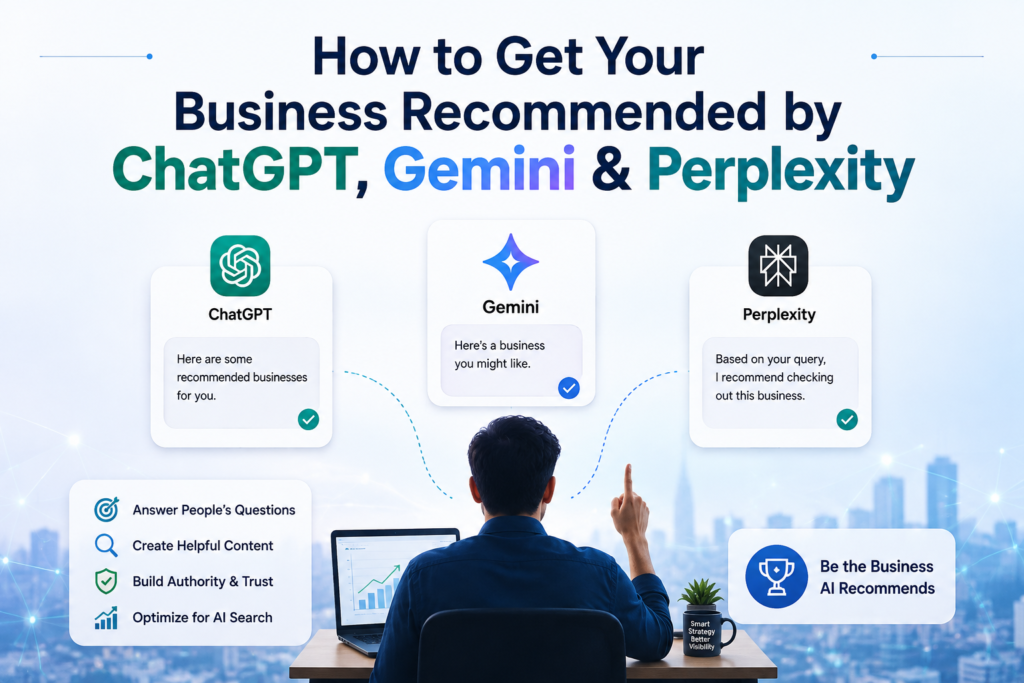
How to Get Your Business Recommended by ChatGPT, Gemini & Perplexity, featuring AI search platforms, business visibility strategies, and AI recommendation graphics.
SEO

How to Get Your Business Recommended by ChatGPT, Gemini & Perplexity

Search behavior has quietly changed. People no longer type a query into Google, scan ten blue links, and click around to compare options. Increasingly, they ask ChatGPT, Gemini, or Perplexity a direct question “what’s the best CRM for a small agency,” “which dentist near me has the best reviews,” “compare the top project management tools” and the AI simply answers, citing two to seven sources along the way. If your business is one of those sources, you get discovered without a click ever happening. If it isn’t, you’re invisible not on page two, but completely absent from the conversation. This is the essence of Generative Engine Optimization (GEO), sometimes called Answer Engine Optimization (AEO): the practice of structuring your online presence so AI models find you, trust you, and recommend you. Here’s how to actually do it. 1. Understand How AI Recommendations Actually Work Traditional SEO ranks pages. AI engines don’t rank they synthesize. ChatGPT, Gemini, and Perplexity pull information from multiple sources, cross-reference it, and generate a single answer that reads like a recommendation. That means your goal isn’t to “rank #1” anymore, it’s to become one of the handful of sources the model trusts enough to cite. It also helps to know that these platforms don’t behave identically: ChatGPT leans on a blend of its training data, real time browsing, and third party mentions across the web. It currently drives the largest share of AI referral traffic of the three. Gemini is tightly integrated with Google’s index and Google Business Profiles, so your standard Google SEO and local listings still matter a great deal here. Perplexity behaves more like a live research engine it actively crawls and cites sources in real time, favoring well structured, fact dense, frequently updated pages. Because each platform weighs signals differently, a business that wants broad AI visibility needs to cover all three bases rather than optimizing for just one. 2. Make Your Content Easy to Extract, Not Just Easy to Read AI models extract facts, not vibes. Dense, marketing-heavy paragraphs are hard for a model to pull a clean answer from. Restructure your content so each section can stand alone as a quotable answer: Answer first, explain second. Open each section or heading with a direct, one-to-two sentence answer, then elaborate below it. Pass the “island test.” Read a paragraph in isolation, with no surrounding context. If it starts with “It,” “This,” or “They” and depends on the previous paragraph to make sense, rewrite it so it’s self contained. Use structured formats. Numbered lists, comparison tables, and FAQ sections are far easier for AI systems to parse and lift into an answer than long narrative blocks. Add FAQ schema markup. This doesn’t just help Google’s AI Overviews it gives every AI crawler a clean, machine-readable question-and-answer structure to pull from. 3. Build Entity Clarity AI models need to know unambiguously who you are, what you do, and where you operate before they’ll recommend you. This is called “entity clarity,” and it’s built through consistency: Keep your business name, address, phone number, and service descriptions identical across your website, Google Business Profile, LinkedIn, industry directories, and review platforms. Use schema.org structured data (Organization, LocalBusiness, Product, or Service schema) so machines not just humans can read exactly what you offer. Write a clear, specific “About” page. Vague positioning (“we help businesses grow”) gives the model nothing concrete to cite. Specific positioning (“we provide bookkeeping for e-commerce brands under $5M in revenue”) gives it something to quote. 4. Earn Third-Party Authority and Mentions AI platforms trust what other credible sites say about you more than what you say about yourself. This is arguably the single biggest lever for GEO, especially for Perplexity, which pulls heavily from external sources like review platforms, industry publications, and news sites. Get listed and reviewed on relevant directories and platforms in your industry. Pursue mentions and backlinks from respected publications, niche blogs, and comparison sites in your space. Encourage detailed, specific customer reviews AI systems appear to weigh sentiment and review depth when making local recommendations, not just star ratings. Respond to reviews and feedback publicly; active engagement signals a real, trustworthy business. 5. Publish Original Data and Real Expertise Generic marketing claims (“we’re the best in the industry”) get ignored by AI models because there’s nothing to cite. Original numbers get cited constantly. Publish your own surveys, case studies, benchmarks, or data analyses even small sample sizes carry weight if the data is real. Include specific statistics, dates, and sourced claims rather than vague superlatives. Write from demonstrated first hand experience (a case study, a client result, a documented process) rather than generic overviews that already exist a thousand times over on the web. 6. Keep Everything Fresh AI systems treat recency as a trust signal, and this matters more here than it ever did for traditional SEO. Perplexity, in particular, is known to weight freshness heavily when choosing which sources to cite. Review and update your highest value pages on a regular cycle quarterly at minimum, monthly for competitive topics. Update statistics, pricing, and examples rather than leaving outdated numbers live. Update the visible “last updated” date and the underlying date Modified metadata whenever you make a real update don’t fake freshness with cosmetic edits. 7. Make Sure AI Crawlers Can Actually Reach You None of the above matters if AI crawlers can’t access your site in the first place. Check your robots.txt file to confirm you aren’t accidentally blocking crawlers like GPTBot, Google Extended, or PerplexityBot. Consider adding an llms.txt file an emerging standard that points AI crawlers toward your most important, citation-worthy pages. Make sure critical content isn’t locked behind heavy JavaScript rendering, login walls, or infinite scroll that a crawler can’t parse. 8. Track Your AI Visibility Like You Track Rankings You can’t improve what you don’t measure. Build a simple habit of checking your AI presence the same way you’d check search rankings: Weekly: Ask ChatGPT, Gemini, and Perplexity real questions a customer

A modern blog banner featuring a laptop displaying the WordPress editor, surrounded by SEO-related icons including a magnifying glass, analytics chart, target, speed gauge, and settings. The centered design highlights the title "How to Write SEO-Friendly Blog Posts in WordPress" with a clean blue and white color scheme
SEO

How to Write SEO-Friendly Blog Posts in WordPress

Writing a blog post is easy, Writing one that actually ranks on Google is a different challenge altogether. If you’re using WordPress, the good news is that the platform gives you almost everything you need to create WordPress SEO friendly content you just need to know how to use it. In this guide, we’ll walk through a practical, step by step process for writing blog posts in WordPress that are optimized for search engines, without sacrificing readability for your actual human readers. 1. Start With Keyword Research Before you write a single word, figure out what your audience is actually searching for. Use tools like Google Keyword Planner, Ubersuggest, Ahrefs, or even Google’s “People Also Ask” and autocomplete suggestions to find relevant keywords. Look for a primary keyword (your main target phrase) and 2–3 secondary or related keywords to support it. Prioritize keywords with clear search intent are people looking to learn, buy, or compare? Your content should match that intent. Tip: Long-tail keywords (e.g., “how to write SEO-friendly blog posts in WordPress” instead of just “SEO blog posts”) are often easier to rank for and attract more targeted traffic. 2. Optimize Your Title and Headline Your title is the first thing both readers and search engines see, so it needs to work hard. Include your primary keyword naturally, ideally near the beginning. Keep it under 60 characters so it doesn’t get cut off in search results. Make it compelling numbers, questions, and power words (“Ultimate,” “Proven,” “Simple”) tend to boost click through rates. Example: “How to Write SEO-Friendly Blog Posts in WordPress (Step-by-Step)” 3. Structure Your Post With Proper Headings Search engines and readers both rely on structure to understand your content. Use one H1 (usually your post title, which WordPress handles automatically). Break your content into sections using H2 and H3 tags. Include your target keyword or variations in at least one or two subheadings. Keep paragraphs short 2–4 sentences for better readability and mobile scanning. 4. Write for Humans First, Search Engines Second Keyword stuffing is outdated and can actually hurt your rankings. Instead: Write naturally, focusing on clarity and value. Use your primary keyword a few times throughout the post in the intro, at least one subheading, and the conclusion without forcing it. Incorporate related terms and synonyms (LSI keywords) so your content reads naturally and covers the topic comprehensively. 5. Optimize Your URL Slug WordPress automatically generates a URL from your title, but you should edit it manually. Keep it short and keyword focused. Remove unnecessary words like “how,” “the,” “and,” “of.” Example: instead of /how-to-write-seo-friendly-blog-posts-in-wordpress-the-complete-guide/, use /seo-friendly-blog-posts-wordpress/. 6. Craft a Compelling Meta Description The meta description doesn’t directly boost rankings, but it strongly influences click-through rate. Keep it under 155–160 characters. Include your primary keyword. Write it like ad copyclear, specific, and enticing. If you’re using Yoast SEO or Rank Math, you can set this directly in the post editor’s SEO panel. 7. Use Internal and External Links Linking helps search engines understand your site structure and builds authority. Internal links: Link to 2–4 other relevant posts or pages on your site. This keeps readers engaged longer and helps search engines crawl your content. External links: Link out to 1–2 authoritative, relevant sources to add credibility. Avoid linking to competitors when possible. 8. Optimize Images for SEO Images improve engagement, but unoptimized images can slow your site down and hurt rankings. Compress images before uploading (tools like TinyPNG or ShortPixel work well). Use descriptive file names (e.g., wordpress-seo-checklist.png instead of IMG_1234.png). Always fill in the alt text field with a clear, keyword-relevant description this helps with both SEO and accessibility. 9. Improve Readability Google’s algorithms increasingly reward content that’s easy to consume. Use bullet points and numbered lists where appropriate. Break up text with subheadings, images, and white space. Aim for a Flesch reading ease score that suits your audience usually simpler is better for blog content. Tools like Yoast SEO and Rank Math include built-in readability checkers to guide you. 10. Focus on Content Length and Depth There’s no magic word count, but longer, more comprehensive posts tend to rank better for competitive keywords as long as every section adds real value. Aim to cover the topic more thoroughly than the current top-ranking pages. Avoid padding content just to hit a word count; depth and usefulness matter more than length alone. 11. Use an SEO Plugin Plugins like Yoast SEO or Rank Math simplify the entire process by giving you: Real-time SEO and readability scoring Meta title and description fields Automatic XML sitemap generation Schema markup support Social media preview tools These plugins won’t write great content for you, but they make sure you don’t miss the technical basics. 12. Optimize for Mobile and Page Speed Google uses mobile first indexing, meaning it primarily evaluates the mobile version of your site. Choose a lightweight, responsive WordPress theme. Use a caching plugin (like WP Rocket or W3 Total Cache). Compress images and minimize unnecessary plugins that slow down load times. 13. Promote and Update Your Content Publishing isn’t the finish line. Share your post across social media and relevant communities to build early traffic and backlinks. Revisit older posts periodically to update statistics, add new information, and refresh outdated sections this signals freshness to search engines.

Professional featured image showing a business professional overlooking a city skyline with the centered title "Why Personal Branding Is Becoming the Biggest Marketing Channel" surrounded by trust, authority, influence, and growth marketing icons.
SEO

Why Personal Branding Is Becoming the Biggest Marketing Channel in 2026

Personal branding is the process of creating and managing how people perceive you online and offline. It reflects your expertise, values, personality, and the unique value you offer. Unlike a company brand, a personal brand focuses on an individual. It helps people recognize you as an authority in your industry and builds long term trust with your audience. Examples of strong personal branding include entrepreneurs sharing industry insights on LinkedIn, marketers posting educational content on Instagram, and business owners appearing in videos that showcase their expertise. Why Personal Branding Matters More Than Ever Consumers are overwhelmed by advertisements. Every day, they encounter thousands of marketing messages across search engines, social media, and websites. To stand out, businesses need something that can’t be easily replicated authentic human connection. Whether you’re a freelancer, consultant, agency owner, or an expert in ecommerce seo, building a strong personal brand helps establish credibility and positions you as a trusted authority in your niche. When people recognize your expertise, they’re more likely to engage with your content, trust your recommendations, and choose your services over competitors Personal branding allows businesses to: Build trust before making a sale Create stronger relationships with customers Demonstrate expertise Increase brand recognition Generate organic leads Improve customer loyalty People are more likely to buy from someone they know, like, and trust.   Why Personal Branding Is Becoming the Biggest Marketing Channel 1. People Trust Faces More Than Logos Research consistently shows that audiences engage more with real people than corporate accounts. A founder sharing lessons, behind the scenes content, or practical tips often receives significantly more engagement than a branded promotional post. Customers want to know: Who is behind the business? Why should they trust you? What experience do you have? How can you help them? Your personal story helps answer these questions. 2. AI Has Increased the Value of Authenticity Artificial intelligence has made content creation faster than ever. While AI tools help marketers improve efficiency, they have also created an overwhelming amount of similar looking content. What AI cannot fully replace is: Personal experiences Original opinions Real success stories Authentic communication Human relationships Sharing genuine insights makes your content more memorable and trustworthy. 3. Social Media Rewards Personal Creators Platforms like LinkedIn, Instagram, TikTok, and YouTube increasingly prioritize engaging content from individuals. People enjoy following experts who: Share educational tips Solve common problems Tell relatable stories Show behind-the-scenes moments Discuss industry trends Consistent personal content often reaches wider audiences than promotional brand posts. 4. Personal Branding Builds Authority When you regularly publish valuable content, your audience begins to see you as an expert. Authority leads to: Speaking opportunities Media interviews Business partnerships High-quality referrals Better client relationships The more helpful your content, the stronger your reputation becomes. 5. It Supports Every Marketing Channel A strong personal brand enhances your entire marketing strategy. For example: SEO content becomes more credible when linked to an expert author. Social media engagement increases with authentic storytelling. Email marketing feels more personal. Sales conversations become easier because prospects already know and trust you. Personal branding doesn’t replace other marketing channels, it strengthens them. Benefits of Personal Branding Marketing Higher Trust Trust is one of the biggest factors influencing purchasing decisions. A recognizable personal brand makes potential customers feel more confident. Better Lead Generation People who regularly consume your content are more likely to become qualified leads because they already understand your expertise. Lower Advertising Costs Consistently creating valuable content can generate organic reach and referrals, reducing reliance on paid advertising. Long-Term Visibility Unlike advertisements that stop producing results when the budget ends, personal branding compounds over time. Every article, video, podcast, or social media post contributes to your long-term online presence. How to Build a Strong Personal Brand Define Your Expertise Identify the topics you want to be known for. Examples include: SEO Digital marketing Social media marketing Content marketing Entrepreneurship AI marketing Web development Choose a niche that aligns with your skills and interests. Create Valuable Content Share content that educates, inspires, or solves problems. Popular formats include: Blog articles LinkedIn posts Instagram Reels YouTube videos Case studies Industry insights Practical tutorials Focus on helping your audience rather than constantly promoting your services. Be Consistent Consistency is more important than perfection. Create a realistic publishing schedule, whether it’s weekly blog posts, daily social media updates, or monthly webinars. Over time, consistent content builds recognition and trust. Show Your Personality People connect with authenticity. Share: Your journey Lessons learned Success stories Challenges you’ve overcome Behind-the-scenes moments Your personality helps differentiate you from competitors. Engage With Your Audience Respond to comments, answer questions, participate in discussions, and build relationships. Engagement strengthens your community and increases your visibility on social media platforms. Common Personal Branding Mistakes Avoid these mistakes: Only posting sales content Inconsistent publishing Copying competitors Ignoring audience engagement Focusing only on follower count Trying to appeal to everyone Sharing content without a clear niche Building a personal brand is about earning trust not chasing vanity metrics. Personal Branding and SEO Personal branding also supports SEO performance. Search engines increasingly value content created by credible experts. Publishing under a recognizable author profile, showcasing real experience, and consistently producing high quality content can strengthen your website’s authority. Combining personal branding marketing with SEO helps you: Increase brand searches Improve user trust Earn natural backlinks Build topical authority Strengthen EEAT (Experience, Expertise, Authoritativeness, and Trustworthiness) When people search for your name as well as your business, your online visibility grows significantly.

Google's AI Mode Explained featured image showing a futuristic AI-powered Google Search interface, SEO optimization icons, AI technology graphics, and a centered title about optimizing websites for Google's AI Mode.
SEO

Google’s AI Mode Explained: How to Optimize Your Website in 2026

Google Search is evolving faster than ever. With the introduction of Google’s AI Mode, users can now receive detailed, AI generated answers instead of scrolling through multiple websites. This shift is changing how businesses approach SEO and online visibility. For companies investing in seo services, understanding Google’s AI Mode is essential. Traditional ranking factors still matter, but AI now prioritizes content that is trustworthy, comprehensive, and genuinely helpful. What Is Google’s AI Mode? Google’s AI Mode is an advanced search experience powered by generative AI. Instead of simply displaying a list of web pages, Google generates conversational responses by analyzing information from multiple reliable sources. Users can ask detailed questions, follow up naturally, and receive personalized recommendations without leaving the search page. This means your website needs to do more than rank, it needs to become a trusted source that Google’s AI is confident enough to reference. Why Google’s AI Mode Matters for SEO AI generated search results are changing user behavior. Instead of clicking several websites, users often get complete answers directly in Google. This creates both challenges and opportunities. Benefits for businesses that optimize correctly include: Increased visibility in AI generated answers Higher brand authority Better organic traffic quality Improved trust with potential customers More qualified leads Businesses using professional SEO services are adapting their strategies to stay competitive as AI search becomes the new standard. How Google’s AI Mode Selects Content Google’s AI doesn’t randomly choose websites. It evaluates content using several quality signals. 1. Helpful Content Content should answer real user questions clearly and completely. Avoid creating articles only to target keywords. 2. Experience and Expertise Google values content created by people with genuine knowledge and experience. Including real examples, case studies, and practical advice strengthens credibility. 3. Website Authority Strong websites usually have: High-quality backlinks Consistent publishing Accurate information Positive user engagement Authority remains one of the strongest ranking signals. 4. Structured Information Well organized content helps Google’s AI understand your pages more effectively. Use: Clear headings Bullet points Numbered lists FAQ sections Tables where appropriate Best Ways to Optimize Your Website for Google’s AI Mode Create Content That Answers Questions Instead of writing around keywords, answer specific questions your audience is asking. Examples include: What is AI SEO? How does AI Mode affect rankings? Is traditional SEO still important? Question based content performs well in AI powered search. Focus on Search Intent Understand why users are searching. Common intent includes: Learning Comparing Buying Solving problems Every article should satisfy one primary intent. Build Topic Authority Publishing one blog isn’t enough. Create clusters around related topics. Example: AI SEO Guide Technical SEO Local SEO On-Page SEO Link Building Content Optimization Google prefers websites that demonstrate deep expertise across a subject. Improve Content Quality Your content should be: Original Accurate Well researched Easy to read Updated regularly Avoid thin or repetitive articles. Optimize Technical SEO Even AI powered search depends on a technically sound website. Technical SEO helps Google crawl and understand your website efficiently. Focus on: Fast page speed Mobile responsiveness Secure HTTPS Clean URLs XML sitemap Internal linking Proper schema markup Use Structured Data Schema markup provides additional context about your pages. Structured data improves your chances of being featured in AI generated responses. Useful schema types include: Article FAQ Organization Product Local Business Review Write Naturally Keyword stuffing is no longer effective. Natural writing aligns better with how AI understands content. Instead: Use conversational language. Include related terms naturally. Write for humans first. Answer follow-up questions within the article. Common Mistakes to Avoid Many websites still rely on outdated SEO practices. Google’s AI prioritizes usefulness over manipulation. Avoid these common mistakes: Publishing AI-generated content without human editing Keyword stuffing Ignoring user intent Thin content Slow website performance Poor mobile experience No internal linking Outdated information How SEO Services Can Help Optimizing for Google’s AI Mode requires more than writing blog posts. An experienced SEO team can ensure your website remains competitive as search continues to evolve. Professional SEO services can help with: Technical SEO audits AI focused keyword research Content strategy Schema implementation Internal linking optimization Performance improvements Authority building The Future of SEO in the AI Era SEO is not disappearing : it is evolving. Businesses that focus on creating valuable, trustworthy, and user focused content will continue to perform well. Google’s AI Mode rewards websites that demonstrate expertise, answer questions clearly, and provide the best possible user experience.

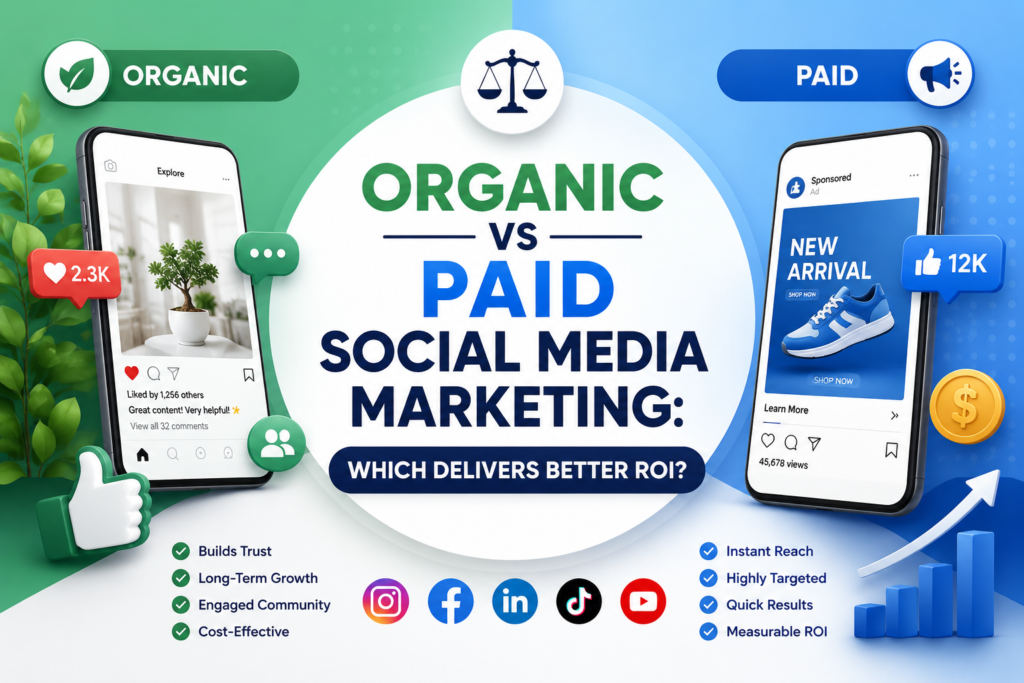
Organic vs Paid Social Media Marketing comparison infographic featuring a split green and blue design, centered title, social media platform icons, analytics graphics, and key benefits illustrating which strategy delivers better ROI
SEO

Organic vs Paid Social Media Marketing: Which Delivers Better ROI?

Social media has become one of the most effective marketing channels for businesses of all sizes. Whether you’re a startup, a local business, or a global brand, platforms like Instagram, Facebook, LinkedIn, TikTok, and X offer incredible opportunities to connect with your audience. By investing in professional SMO services, businesses can improve their online visibility, build stronger customer relationships, and create a consistent brand presence across multiple social media platforms. However, one question continues to challenge marketers: Should you invest in organic social media marketing or paid social media marketing? The answer depends on your goals, budget, and timeline. While organic marketing helps build long-term relationships and brand trust, paid campaigns can deliver immediate visibility and measurable results. What Is Organic Social Media Marketing? Organic social media marketing refers to all the content you publish without paying for distribution. This includes: Regular posts Reels Stories Carousels Educational videos Live sessions Community engagement User-generated content The goal is to grow your audience naturally through valuable content and meaningful interactions. Benefits of Organic Social Media Builds trust and credibility Creates long-term brand awareness Improves customer relationships Encourages community engagement Cost-effective for small businesses Supports SEO through increased brand searches Challenges Slower growth Declining organic reach on many platforms Requires consistent content creation Results take time What Is Paid Social Media Marketing? Paid social media marketing involves promoting content using advertising platforms such as: Facebook Ads Instagram Ads LinkedIn Ads TikTok Ads Pinterest Ads X Ads Businesses pay to reach a specific audience based on demographics, interests, behaviors, or purchasing intent. Benefits of Paid Social Media Instant reach Highly targeted audiences Fast lead generation Better conversion opportunities Detailed campaign analytics Easy budget scaling Challenges Requires advertising budget Results stop when ads stop Poorly optimized campaigns can waste money Requires regular monitoring and optimization Which Strategy Delivers Better ROI? The answer depends on your business objectives. Organic Marketing Delivers Better ROI When Building a long-term brand Growing a loyal community Increasing engagement Educating your audience Improving customer retention Organic content continues generating value long after it’s published. Paid Marketing Delivers Better ROI When Launching a new product Running seasonal campaigns Generating leads quickly Promoting limited-time offers Driving website traffic Increasing online sales Paid campaigns can produce results within hours when managed effectively. Why Combining Both Strategies Works Best The highest-performing brands don’t choose one—they combine both. A smart strategy includes: Organic Content Educational posts Industry tips Behind-the-scenes content Customer testimonials Reels Stories Community engagement Paid Campaigns Lead generation ads Website traffic campaigns Retargeting visitors Product promotions Event registrations Special offers Organic content builds trust, while paid advertising amplifies your best-performing content to the right audience. Tips to Maximize Social Media ROI Define Clear Goals Know whether you’re aiming for: Brand awareness Leads Website traffic Sales Engagement Track the Right Metrics Monitor: Reach Engagement rate Click-through rate (CTR) Cost per lead (CPL) Cost per acquisition (CPA) Conversion rate Return on ad spend (ROAS) Repurpose High-Performing Content If an organic Reel performs well, use it as a paid advertisement to reach more people. This often improves ad performance because the content has already proven engaging. Test Different Content Formats Experiment with: Short videos Carousels Infographics Stories Polls Live videos Regular testing helps identify what resonates most with your audience. Optimize Landing Pages Even the best social media campaign won’t succeed if users land on a slow or confusing website. Ensure your landing pages are fast, mobile-friendly, and designed to convert visitors into customers. Which Is Better for Small Businesses? For most small businesses, the ideal approach is: Build a strong organic presence with consistent, valuable content. Use paid campaigns strategically for launches, promotions, and lead generation. Analyze performance and adjust your budget based on what delivers the best results. This balanced strategy allows businesses to grow sustainably while taking advantage of the speed and precision of paid advertising.  

DMCA.com Protection Status
Scroll to Top